RabbitMQ GUI for viewing, searching and editing messages
Published July 21, 2026
QueueExplorer is a RabbitMQ GUI for viewing queues and streams, filtering, editing, and replaying queue messages without writing diagnostic code. It gives developers and administrators one place to troubleshoot message flow, investigate failed messages, and create realistic test data.
RabbitMQ does not provide full-text search across a queue. QueueExplorer progressively loads a configurable number of messages, then lets you search and filter those loaded results by message body, properties, and headers. It is available for Windows, macOS, and Linux.
Free trial for Windows, macOS, and Linux
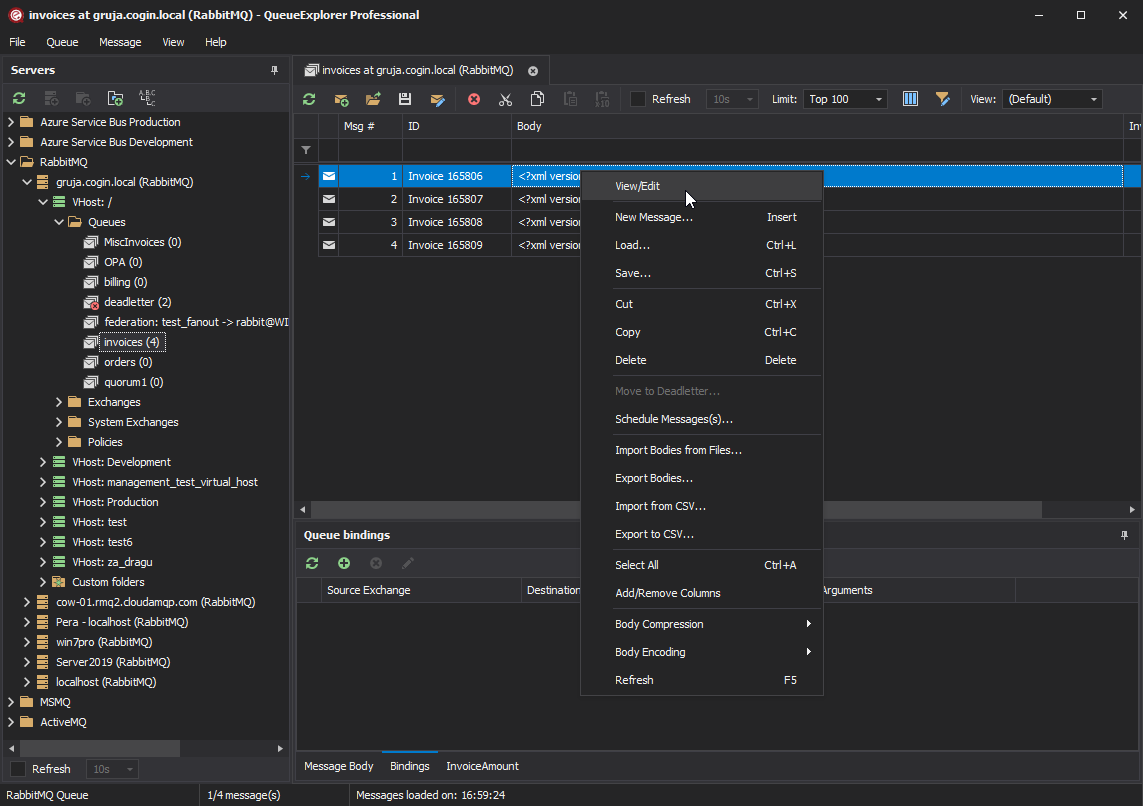
View RabbitMQ messages and headers
Connect QueueExplorer to a RabbitMQ broker and select a queue to start loading its messages. Messages appear progressively, so you can begin inspecting them without waiting for the entire result set. You can set a loading limit or load all messages when that is appropriate for the queue.
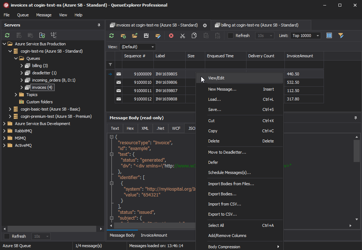
The message list can display standard properties and custom headers as columns. Select a message to preview its body using the view that matches its format, including JSON, XML, text in several encodings, and hexadecimal data. Gzip- and Deflate-compressed bodies can also be decompressed for display.
See how to inspect RabbitMQ message contents without losing them for acknowledgement, requeueing, and production-safety details.
Browse RabbitMQ streams by offset
QueueExplorer also supports RabbitMQ streams. Open a stream to browse its retained messages page by page, jump directly to a specific offset, or move to the beginning or end of the stream. This is different from a queue, where reaching a later message requires reading the messages in front of it.
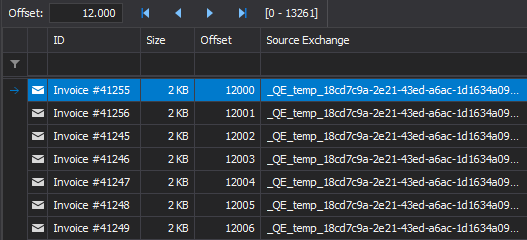
RabbitMQ streams are immutable, append-only logs. QueueExplorer can write new messages to a stream, but it cannot edit, move, or delete individual entries already in that stream. Old entries leave the stream only through its configured retention behavior; deleting the whole stream is a separate operation.
Search and filter RabbitMQ messages
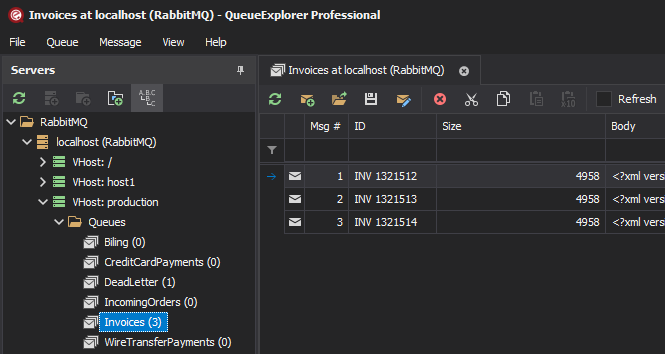
When a queue contains many messages, opening each one is slow and error-prone. QueueExplorer lets you sort and filter the loaded message list by body, message ID, routing key, standard properties, or custom headers. Add the fields you use frequently as columns to make repeated investigations faster.
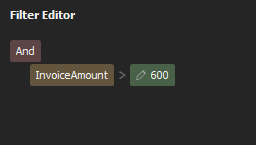
QueueExplorer Professional can extract business values from message bodies with JSON, XPath, or regular expressions. Those extracted values can be displayed and filtered like other columns. For example, you could find invoices above a given total without manually opening every message.
Edit and replay a RabbitMQ message
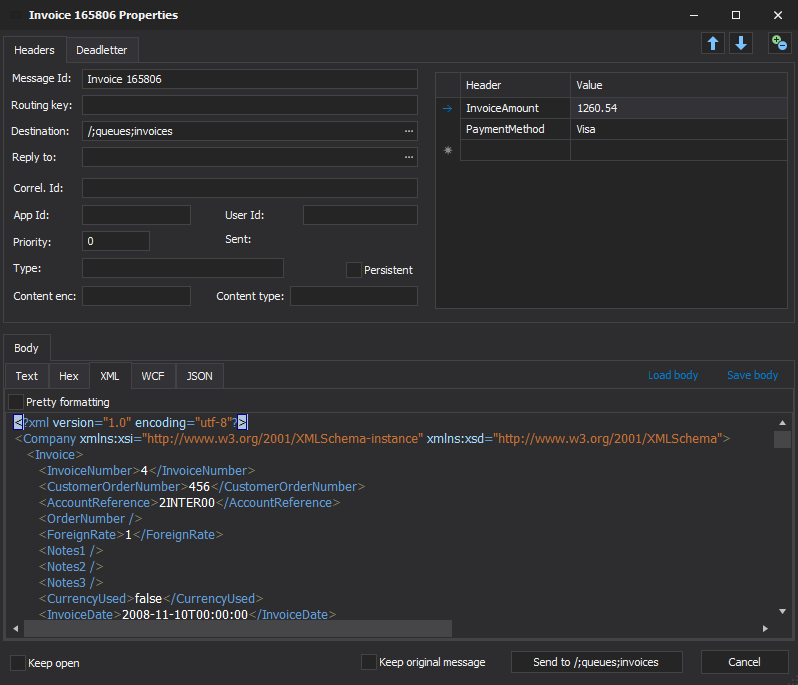
Open a message in the editor to change its body, headers, routing key, or other properties, then send the corrected version back to a queue. This is useful for repairing a malformed message, reproducing a bug, or testing a consumer with a realistic payload. You can keep the original message when you want a safe copy for comparison.
What editing means in RabbitMQ
RabbitMQ does not provide an operation that modifies a message in place or inserts it at an arbitrary position. An edited message is therefore a new message sent to the end of the destination queue. If you choose not to keep the original, QueueExplorer removes the old message as part of the operation. Keep this ordering behavior in mind when working with a live production queue.
More message operations from the GUI
For queues, the same message list supports familiar file-like operations, so common RabbitMQ maintenance tasks do not require a one-off script:
- copy or move selected messages to another queue;
- delete specific messages or purge an entire queue;
- save messages to files and load them again later;
- drag messages to an exchange and use its bindings for routing;
- create new messages or duplicate existing ones for testing;
- inspect dead-letter headers and replay failed messages.
These operations are especially helpful when debugging poison messages, comparing what a producer sent with what a consumer expected, restoring saved test data, or moving selected messages out of a busy queue for investigation.
RabbitMQ management UI or QueueExplorer?
The RabbitMQ management plugin is useful for monitoring and configuring a broker. QueueExplorer focuses on message-level work: loading a practical message list, choosing visible fields, filtering and sorting, editing payloads, and moving or saving selected messages. The tools complement each other, but a dedicated RabbitMQ GUI is more convenient when the message itself is what you need to investigate.
| Task | RabbitMQ management UI | QueueExplorer |
|---|---|---|
| Primary focus | Broker monitoring and configuration | Message inspection and operations |
| View queue messages | Fetch a limited sample | Progressively load queue messages or browse streams by offset |
| Search and filter | No sortable message grid | Filter loaded bodies, properties, headers, and extracted values |
| Edit and replay | No message editor | Edit or create a message and send it to a queue or exchange |
| Selected-message operations | Require another tool or application code | Copy, move, delete, save, load, and drag and drop |
See the detailed comparison of RabbitMQ management console and QueueExplorer, or compare the wider set of RabbitMQ Management UI alternatives.
How to get started
- Download QueueExplorer and install it on Windows, macOS, or Linux.
- Create a RabbitMQ connection using the host, virtual host, port, username, and password for your broker.
- Open the connection and select a queue or stream to load its messages.
- Choose the columns and body viewer you need, then sort or filter the message list.
- Open a message to inspect or edit it, and send the result to the required queue or exchange.
Frequently asked questions
Can I view RabbitMQ messages without consuming them in application code?
Yes. QueueExplorer provides a browsable message list, body preview, properties, and headers without requiring you to build a diagnostic consumer.
Can I search inside a RabbitMQ message body?
Yes. You can filter loaded messages by body text. With QueueExplorer Professional, you can also extract values using JSON, XPath, or regular expressions and filter on the extracted fields.
Can QueueExplorer browse RabbitMQ streams?
Yes. Browse a stream page by page or jump to its beginning, end, or a specific offset. QueueExplorer can append messages to a stream, but RabbitMQ does not allow individual existing stream entries to be removed.
Can I edit a message without changing its position in the queue?
No. RabbitMQ cannot update a queued message in place. The edited copy is sent as a new message at the end of the queue.
QueueExplorer: a better way to inspect and manage RabbitMQ
See what is happening in RabbitMQ and resolve message problems without writing one-off tools. Browse queues and streams, inspect message contents, and manage your RabbitMQ environment from one desktop application. Try it free on Windows, macOS, or Linux.