How to inspect RabbitMQ message contents without losing them
Published July 21, 2026
To inspect a RabbitMQ queue message without deleting it, receive it with manual acknowledgements and return it
to the queue with requeue=true after reading its body and headers. Do not use automatic
acknowledgement or positively acknowledge the message, because RabbitMQ can then remove it from the queue.
RabbitMQ does not provide a database-style peek operation for queues. Queue inspection still delivers the message to a client and temporarily changes its state from Ready to Unacknowledged. The important part is how that delivery is settled afterward.
Why inspecting a message can remove it
RabbitMQ considers message delivery and message acknowledgement to be separate steps. With manual
acknowledgements, a delivered message remains unacknowledged until the client tells RabbitMQ what to do.
A positive acknowledgement completes processing and allows the broker to delete it. A negative
acknowledgement can either requeue it or remove it, depending on the requeue flag.
| Inspection action | Result |
|---|---|
| Automatic acknowledgement | The message is considered delivered and can be removed immediately. |
| Positive acknowledgement | The message is marked as processed and removed. |
Negative acknowledgement with requeue=true |
The message is returned to the queue for another delivery. |
Negative acknowledgement with requeue=false |
The message is dead-lettered when configured, or discarded. |
| Close the channel with the message still unacknowledged | RabbitMQ automatically requeues the outstanding delivery. |
RabbitMQ documents these behaviors in its guide to consumer acknowledgements and requeueing.
Inspect message bodies and headers with QueueExplorer
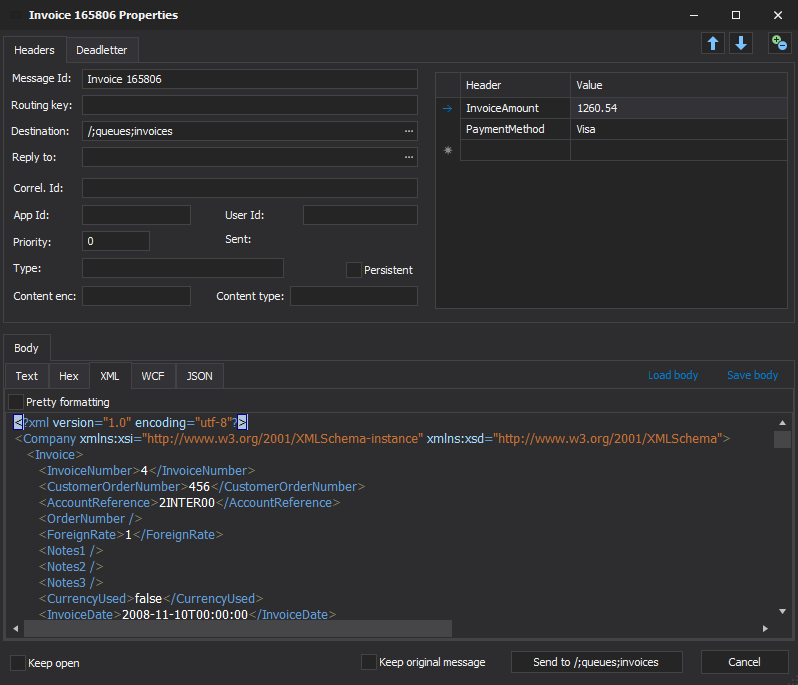
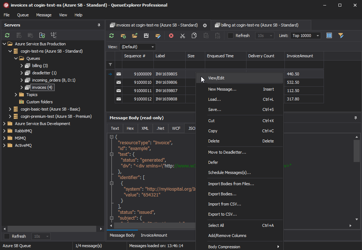
QueueExplorer provides a message list and body preview, so you do not have to write a temporary consumer just to diagnose a payload. Open a RabbitMQ connection, select a queue, and choose how many messages to load. Messages appear progressively as they are received.
Select a message to inspect its body, routing key, standard properties, and custom headers. Bodies can be viewed as JSON, XML, text with several encodings, hexadecimal data, or WCF content. Gzip- and Deflate-compressed bodies can be decompressed for display.
Free trial for Windows, macOS, and Linux
How RabbitMQ stream inspection differs
Streams do not have the same remove-and-requeue concern as queues: retained entries are append-only and can be read repeatedly. QueueExplorer can browse a stream page by page from its beginning, end, or a selected offset, and can append new entries, but cannot remove individual existing entries. For the UI workflow and screenshot, see how to browse RabbitMQ streams with QueueExplorer. The acknowledgement and exclusive-access guidance below applies to queues.
What QueueExplorer does while browsing a queue
RabbitMQ requires QueueExplorer to consume messages in order to display them. QueueExplorer keeps those deliveries unacknowledged while it reads them. When the read session closes, RabbitMQ returns the outstanding deliveries to the queue. Simply viewing the message does not positively acknowledge it or mark it as successfully processed.
This is different from intentional operations such as Delete, Cut, Move, or editing without keeping the original. Those operations can remove the original message and should not be used during a read-only inspection.
Choose exclusive or non-exclusive browsing
The main operational risk is another application consuming from the same queue while you inspect it. QueueExplorer provides two access modes:
- Non-exclusive mode allows application consumers to continue running. QueueExplorer and those consumers compete for deliveries, so QueueExplorer may display only part of the queue. A production consumer can also receive a message after QueueExplorer returns it.
- Exclusive mode prevents other consumers from receiving while QueueExplorer reads the queue. It gives a more consistent snapshot and is faster, but existing consumers prevent QueueExplorer from acquiring exclusive access, and other consumers are blocked during the read.
Exclusive mode is released after messages have been read; the queue is not locked merely because its contents remain displayed. You can configure the default under RabbitMQ preferences and temporarily override it from the message-list toolbar.
Inspect without deleting in the RabbitMQ management UI
The RabbitMQ management UI can fetch a small number of messages from a queue. In the Get messages
section, choose an acknowledgement mode that requeues messages. In the HTTP API, the equivalent
ackmode values are ack_requeue_true and
reject_requeue_true.
Do not choose ack_requeue_false or reject_requeue_false when the messages must be
preserved: those modes mark fetched messages for deletion. RabbitMQ deliberately implements this as a
state-changing HTTP POST, not a read-only GET. See the official
RabbitMQ HTTP API reference.
Inspecting from application code
When writing a diagnostic tool, use the same protocol sequence:
basic.get(queue, no_ack=false)
inspect body, properties, and headers
basic.nack(delivery_tag, multiple=false, requeue=true)
Use a finally block or equivalent cleanup so an exception cannot accidentally skip settlement.
Closing the channel requeues outstanding unacknowledged deliveries, but explicitly settling the message
makes the intended behavior clearer. RabbitMQ recommends long-lived
consumers rather than repeated basic.get polling for application workloads; polling is
appropriate here only as a bounded diagnostic operation.
A safer inspection workflow
- Inspect a development or staging queue when possible. For production, use a maintenance window or pause consumers if message order matters.
- Record the queue's Ready and Unacknowledged counts before starting.
- Load only the number you need, such as Top 10 or Top 100, instead of loading the entire queue.
- Use exclusive mode when you need a consistent view and can temporarily block other consumers.
- Inspect the body and headers without using Delete, Cut, Move, or destructive editing operations.
- Close or change the message view, then verify that the messages are Ready again.
Important limitations
- Requeueing is observable. RabbitMQ sets the redelivered flag when a message is delivered again.
- Ordering can be affected. RabbitMQ tries to return a requeued message to its original position or near the queue head, but competing consumers and concurrent acknowledgements can change the order observed by consumers.
- Unacknowledged messages are temporarily unavailable. Another consumer cannot receive a message while the inspection client holds that delivery.
- TTL is not reset by inspection. Existing queue and message expiration settings continue to apply when messages are returned to the queue.
- Quorum delivery limits require care. Repeated delivery and requeue cycles can interact with poison-message handling, depending on the RabbitMQ version and queue configuration. Avoid repeatedly refreshing a large live queue.
For ordering details, see RabbitMQ's documentation on message ordering.
When you need truly repeatable inspection
If inspection must have no effect on a live work queue, design that requirement into the topology. Bind a separate diagnostic or audit queue so it receives its own copy at publish time, or use a RabbitMQ stream when an append-only log with independent consumer offsets fits the workload. That is safer than repeatedly fetching and requeueing messages from the production queue.
Frequently asked questions
Can I look at a RabbitMQ message without acknowledging it?
Yes. Use manual acknowledgements, inspect the delivery, then negatively acknowledge it with
requeue=true. If the channel closes first, RabbitMQ automatically requeues outstanding
unacknowledged deliveries.
Does the RabbitMQ management UI delete messages when I inspect them?
It depends on the acknowledgement mode. Modes ending in requeue_true return the fetched
messages. Modes ending in requeue_false mark them for deletion.
Can I inspect every message without changing delivery order?
Not with a strict guarantee on a live queue. Requeueing and competing consumers can affect the order that consumers observe. Pause consumers and use exclusive access when ordering is important, or inspect a separate audit queue or stream.
For a broader feature overview, see our RabbitMQ GUI guide or follow the practical QueueExplorer guide to browsing RabbitMQ queues and streams.
QueueExplorer: a better way to inspect and manage RabbitMQ
See what is happening in RabbitMQ and resolve message problems without writing one-off tools. Browse queues and streams, inspect message contents, and manage your RabbitMQ environment from one desktop application. Try it free on Windows, macOS, or Linux.