Migrating RabbitMQ schema: when, why, and how
Published July 21, 2026
RabbitMQ schema migration copies the broker definitions that make message routing work: virtual hosts, queues, exchanges, bindings, policies, users, permissions, and runtime parameters. RabbitMQ calls this metadata definitions. You normally migrate it before applications or queued messages are moved to a new cluster.
You can migrate schema with a definitions JSON file, application startup declarations, CLI or HTTP API automation, Kubernetes resources, or a visual compare-and-apply workflow in QueueExplorer. The right method depends on whether this is a one-time move or an on-going deployment process.
What is RabbitMQ schema?
Schema is a useful shorthand for the logical broker configuration stored in RabbitMQ's internal metadata store. It describes where applications connect, how published messages are routed, and which users can access those resources.
| Usually part of definitions | Not part of definitions |
|---|---|
| Virtual hosts, queues, exchanges, and bindings | Messages currently stored in queues or streams |
| Users, password hashes, tags, permissions, and topic permissions | RabbitMQ and operating-system configuration files |
| Policies, operator policies, global parameters, and runtime parameters | Plugins, plugin binaries, TLS keys and certificates, or the Erlang cookie |
| Plugin-backed definitions such as dynamic Shovels when the plugin is available | Logs, alarms, metric history, connections, channels, or consumers |
A schema export should therefore be one part of a larger backup or migration strategy, not the entire strategy. The exported file can also contain password hashes, so store and transfer it as sensitive data.
Why and when should RabbitMQ schema be migrated?
- Moving to a new cluster. Recreate topology before switching producers and consumers to new hardware, another data center, or a hosted RabbitMQ provider.
- Performing a blue-green upgrade. Build a clean target cluster on the new RabbitMQ version, import compatible definitions, test it, and then cut applications over.
- Promoting environments. Copy selected exchanges, queues, bindings, and policies from development to staging or production without re-entering them manually.
- Splitting or consolidating virtual hosts. Move an application's topology into a dedicated vhost or combine several installations under one managed cluster.
- Preparing disaster recovery. Keep a reviewed definition set that can seed a replacement cluster before message recovery begins.
- Removing configuration drift. Compare environments and turn accepted topology into a versioned, repeatable deployment.
You do not normally migrate definitions when adding or replacing a node in the same cluster. RabbitMQ replicates definitions to every cluster node. Schema migration is primarily a cluster-to-cluster, vhost-to-vhost, or environment-to-environment operation.
Ways to migrate RabbitMQ schema
| Method | Best for | Main consideration |
|---|---|---|
| Definitions export and import | Complete one-time cluster or vhost migration | JSON must be reviewed for compatibility and secrets |
| QueueExplorer compare and import | Visual, selective migration and environment comparison | Requires an operator to review and apply the changes |
| Application declarations | Topology owned by a particular application | Shared policies, users, and platform objects need another owner |
| CLI or HTTP API scripts | Repeatable migrations with custom validation and transformations | The script must handle dependencies, failures, and version differences |
| Kubernetes Messaging Topology Operator | Continuously reconciled topology on Kubernetes | Declarative ownership and deletion behavior must be understood |
| Manual recreation | A few temporary objects | Slow, hard to audit, and prone to omitted arguments or bindings |
Method 1: export and import RabbitMQ definitions
RabbitMQ can export definitions for an entire cluster or an individual virtual host. The core CLI works without the management plugin:
rabbitmqctl export_definitions /secure/path/rabbitmq-definitions.json

# Copy and review the file on the target system, then import it
rabbitmqctl import_definitions /secure/path/rabbitmq-definitions.json
rabbitmqadmin v2 provides equivalent commands through the management HTTP API:
rabbitmqadmin definitions export /secure/path/rabbitmq-definitions.json
rabbitmqadmin definitions import /secure/path/rabbitmq-definitions.json
You can also export and import through the Management UI or the /api/definitions HTTP endpoint.
Modern RabbitMQ versions can load definitions from a local file or HTTPS URL at node boot, which is useful for
preconfigured deployments. For large definition sets in a multi-node cluster, RabbitMQ recommends importing
after cluster formation to avoid every booting node repeating the work.
rabbitmqadmin v2 can transform exports, for example by excluding users and permissions,
obfuscating credentials, or removing obsolete classic-mirroring policy keys during an upgrade. Use the
current RabbitMQ schema definition guide because
available transformations and compatibility rules depend on the source and target versions.
Method 2: compare and migrate schema with QueueExplorer
QueueExplorer Professional provides a visual workflow for copying all or part of a RabbitMQ schema. It is useful when you want to see the target differences before changing anything, select individual objects, or copy topology between virtual hosts and servers.
- Connect QueueExplorer to the source and target RabbitMQ environments.
- Select a server, virtual host, or individual queues, exchanges, bindings, or policies.
- Choose Export schema, or use Copy schema to place the selection on the clipboard.
- On the target, choose Import schema or Paste schema.
- Review objects that are new, different, identical, or present only on the target. Select only the changes you intend to apply.
- Open the final change preview, run the selected changes, and validate the resulting topology.
QueueExplorer does not delete target objects during schema import. It can modify existing objects only where RabbitMQ permits the relevant property to change. This makes the preview safer, but it also means that an import is not an automatic cleanup of everything absent from the source.
Free trial for Windows, macOS, and Linux
Method 3: let applications declare their topology
Many RabbitMQ clients can declare exchanges, queues, and bindings when an application starts. Declaration is idempotent only when an existing object's durable, type, and argument values are compatible. A mismatch can close the channel with a precondition failure instead of changing an immutable queue or exchange.
Application declarations work well when one service clearly owns its topology. Platform-owned policies, shared exchanges, users, permissions, and cross-application bindings should still be deployed centrally. Document ownership so two systems do not continually fight over the same definition.
Method 4: use declarative infrastructure
For repeated environment creation, store reviewed definitions or individual topology resources in version control and apply them through the deployment pipeline. On Kubernetes, RabbitMQ's Messaging Topology Operator can manage queues, exchanges, bindings, policies, users, permissions, virtual hosts, Federation, and Shovel resources.
Declarative ownership changes deletion semantics: removing a resource from the desired state may remove the corresponding RabbitMQ object and its data. Review retention or deletion policies, immutable fields, secret handling, namespace scope, and the Operator version before adopting this approach.
A safer RabbitMQ schema migration plan
- Inventory the source. Record RabbitMQ and Erlang versions, enabled plugins, feature flags, vhosts, queue types, policies, runtime parameters, users, and external authentication.
- Choose ownership. Decide which objects come from cluster definitions, application declarations, an operator, or another infrastructure repository.
- Prepare the target. Install compatible plugins, configure TLS and authentication, create secrets, and confirm resource limits before importing plugin-backed definitions.
- Export and protect the source definitions. Store the original artifact securely so it can be compared or restored.
- Transform intentionally. Remove environment-specific users, obsolete policies, hostnames, or runtime parameters instead of blindly importing them.
- Test outside production. Import into a temporary cluster or vhost and inspect every warning, policy match, binding, and queue argument.
- Import and validate schema. Verify effective policies, permissions, routing, dead-letter targets, alternate exchanges, and application declarations.
- Migrate messages and applications. Use a separate backlog and cutover plan, described below.
- Observe before decommissioning. Keep the source available until publishers, consumers, message rates, dead letters, and alerts are healthy on the target.
Schema migration does not move RabbitMQ messages
A correctly recreated queue is still empty. For a small, selected set of messages, QueueExplorer can copy or move messages to another RabbitMQ queue. Verify the destination before deleting the source copies.
For a live cluster migration, use an application drain or choose between Federation and Shovel as part of a controlled blue-green cutover. RabbitMQ's blue-green migration guide starts by importing definitions into the target, then uses inter-cluster transfer while consumers and producers are switched. If strict ordering matters, stop producers and let the chosen transfer mechanism drain completely before the final cutover.
Common RabbitMQ schema migration risks
- Immutable properties: an existing queue cannot simply change its type, durability, name, or many declaration arguments. Create a replacement queue and move messages when a redesign is required.
- Policy surprises: the same queue can receive different effective settings if target policies, operator policies, priorities, or matching patterns differ.
- Missing plugins: custom exchange types and plugin runtime parameters cannot work until the required plugin is installed and enabled.
- Version incompatibility: deprecated classic mirroring policies and unsupported arguments can make an older export invalid on a newer cluster.
- Accidental credential migration: definition files can contain password hashes and permissions that should not be copied between security boundaries.
- Import mistaken for synchronization: missing entries are not necessarily deleted, and existing incompatible objects are not safely rewritten. Plan removals separately.
- Unmigrated dependencies: DNS, load balancers, certificates, secrets, firewall rules, monitoring, and client connection settings sit outside RabbitMQ definitions.
Post-migration validation checklist
- Compare counts and names for virtual hosts, queues, exchanges, bindings, policies, and users.
- Inspect queue types, durability, arguments, leaders, members, and effective policy definitions.
- Publish test messages for every important routing-key pattern and verify the expected destinations.
- Test consumer acknowledgements, dead-lettering, TTL, priority, overflow, and retry behavior.
- Confirm application accounts have only the required configure, write, and read permissions.
- Check monitoring, alarms, logs, Shovel or Federation links, and backup jobs.
- Compare a fresh target export with the approved desired schema and document deliberate differences.
Frequently asked questions
Can RabbitMQ schema be migrated without the Management UI?
Yes. rabbitmqctl export_definitions and import_definitions work without the management
plugin. rabbitmqadmin and the HTTP API require it. Application declarations, QueueExplorer, and
declarative operators provide other workflows.
Does importing definitions overwrite the target?
Do not treat an import as a full replacement or synchronization operation. RabbitMQ boot-time imports do not overwrite definitions already present, and objects absent from the file are not a request to delete target objects. Existing incompatible declarations can fail. Compare the target and plan modifications or removals explicitly.
Can I migrate only one virtual host?
Yes. RabbitMQ can export definitions for one virtual host, and QueueExplorer can select a vhost or individual objects. A vhost-scoped export intentionally excludes unrelated vhosts and users without permissions for that vhost, so review what must be supplied separately.
Is a definitions file a complete RabbitMQ backup?
No. It is a backup of logical definitions, not queue contents or node configuration. Preserve messages, configuration, certificates, secrets, and recovery documentation separately.
For related planning, read our guides to RabbitMQ policies, RabbitMQ exchanges, and RabbitMQ management tools.
QueueExplorer: a better way to inspect and manage RabbitMQ
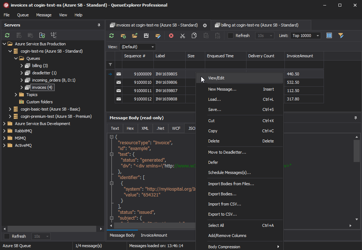
See what is happening in RabbitMQ and resolve message problems without writing one-off tools. Browse queues and streams, inspect message contents, and manage your RabbitMQ environment from one desktop application. Try it free on Windows, macOS, or Linux.