All about RabbitMQ deadletter exchanges and queues
Message is moved to deadletter in few cases: when it's rejected by receiving application (by calling basic.reject or basic.nack without requeue option), when it expires because of "Time to live" setting, or if queue limit is exceeded. There are no system deadletter queues, so you have to create your own and instruct RabbitMQ to use them for deadlettered messages. Or, to be more precise, you specify dead letter exchange since we always send to exchanges, not to queues.
Since this is configurable for each queue, you can set it up that each important queue has separate deadletter exchange, or it can be shared by multiple queues. When messages end up in deadletter they'll have x-first-death-queue header set to original queue, so even if deadletter is shared you'll know where they came from.
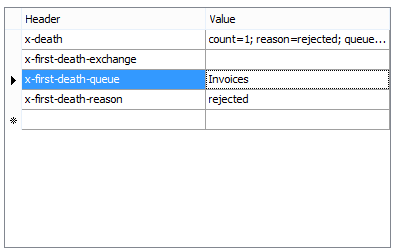
Deadlettered message gets additional data in its headers - fields starting with "x-death", which describe the reason for deadlettering, original queue, time, etc. QueueExplorer allows you to see these details:
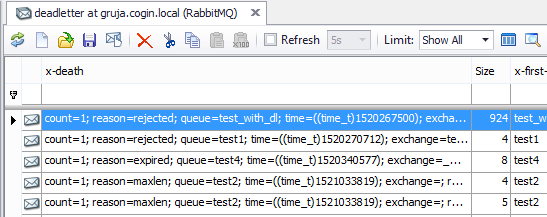
When the original problem is fixed, follow the safe workflow in How to replay RabbitMQ dead-letter messages.
Deadlettering is turned on for a queue by adding "x-dead-letter-exchange" to queue's properties, or to a policy which is applied to that queue. Optionally, you can specify "x-dead-letter-routing-key" which will be used instead of message's original routing key. Dead letter exchange is like any other exchange, you specify its type and bindings.
QueueExplorer: a better way to inspect and manage RabbitMQ
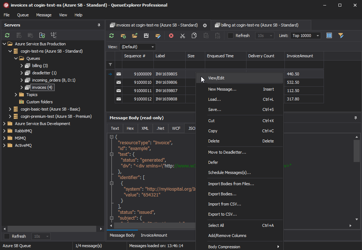
See what is happening in RabbitMQ and resolve message problems without writing one-off tools. Browse queues and streams, inspect message contents, and manage your RabbitMQ environment from one desktop application. Try it free on Windows, macOS, or Linux.